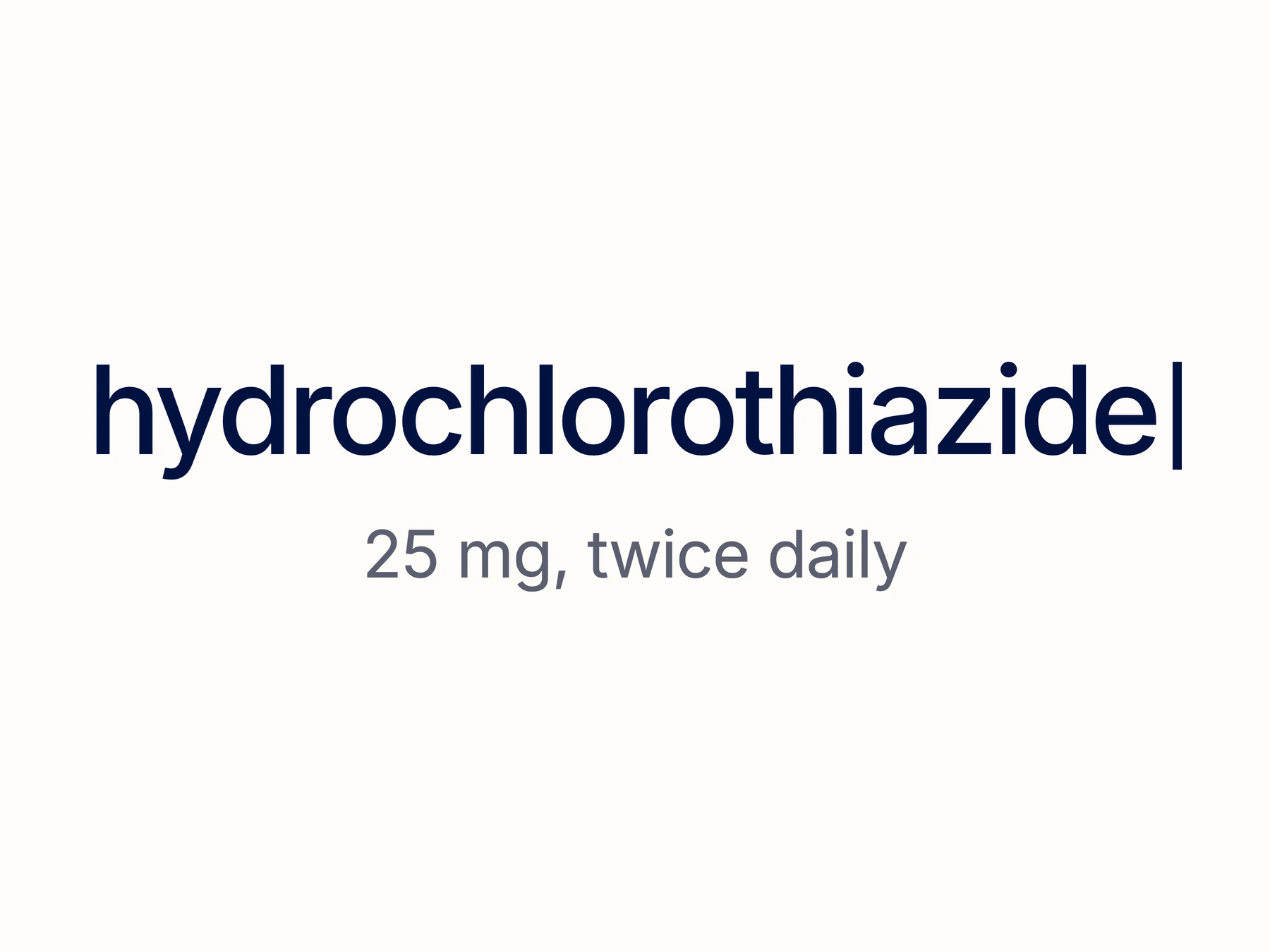
You say "metformin five hundred milligrams twice a day" and the chart should read "metformin 500 mg twice daily." Everything between those two lines is medical speech to text. This guide explains how the engine gets from one to the other, the five places it slips, and how to set it up on the Mac or Windows computer you already chart on.
What Is Medical Speech to Text?
Medical speech to text is software that turns spoken clinical language into written text. It runs on speech recognition models tuned for medical vocabulary, such as drug names, anatomy, and abbreviations. The text it returns still needs a clinician's review before it goes into a signed record.
You will see it sold under several names: medical speech recognition, medical voice recognition, clinical dictation, and medical transcription software. They describe the same first step. The difference between products is what happens after the words exist. Some tools stop at the text and drop it where your cursor is. Others hand the text to a transcriptionist. AI scribes go further and turn the text into a structured note.
Developers can also buy the engine on its own. Amazon Transcribe Medical, for example, is an API that AWS lists as HIPAA eligible, with batch and real-time modes. A practice rarely uses an engine like that directly. It reaches the practice inside another product, which is why the product's agreement and review workflow matter as much as the engine.
How Medical Speech Recognition Works
Every engine, from a phone keyboard to a hospital dictation system, runs some version of the same pipeline. Knowing the steps tells you where a wrong word came from.
- The microphone records the sound wave. A headset near your mouth gives the engine far more of your voice and far less of the room than a laptop microphone across the desk.
- The engine slices the audio into short frames and turns each one into numbers that describe its pitch and energy. Background noise enters the math at this step.
- An acoustic model matches those frames to the sounds of speech. Accents and speaking pace matter most here, because the model only recognizes sounds like the ones it was trained on.
- A language model picks the most likely words for those sounds, using the words around them. A model trained on clinical text knows that "two puffs of albuterol" is more likely than "too puffs of all butter all."
- A formatting step rewrites spoken forms into written ones: numbers, units, punctuation, and abbreviations. This is where "one thirty four over eighty six" becomes "134/86."
- The text lands somewhere. A dictation tool types it into the field you selected. A scribe hands it to the step that drafts the note.
The formatting step does more work than most people expect. The examples below are illustrative, and each one shows a choice the software has to get right before you see the text.
| What you say | What the chart needs |
|---|---|
| blood pressure one thirty four over eighty six | BP 134/86 |
| metformin five hundred milligrams twice a day | metformin 500 mg twice daily |
| follow up in two weeks period new paragraph | Follow up in 2 weeks. (new paragraph) |
| A one C seven point two | A1c 7.2% |
| no chest pain comma no shortness of breath | No chest pain, no shortness of breath |
Engines run in one of two modes. Streaming recognition shows words while you speak, which suits dictation into a field because you can watch the text and correct it on the spot. Batch recognition waits for the whole recording and then processes it at once. Batch can use the context of the whole sentence before it commits to a word, but you only see the result at the end. Amazon Transcribe Medical offers both modes, and most clinical products pick one for each job.
The output also differs in what it keeps. Some tools return only the final text. Others keep a transcript with timestamps or speaker labels next to the note, so you can check a line against what was said. When you compare products, ask to see that transcript, because it is the evidence you go back to when a sentence in the note looks wrong.
Older systems asked you to read training passages so the acoustic model could learn your voice. Most current engines skip that step and adapt from large, varied training sets. You still speak commands for punctuation in many tools, while others infer it from your pauses.
Where Accuracy Drops
Vendors quote accuracy as one number. In practice, errors cluster in five places, and four of them are the details that matter most in a chart.
In a 2018 study in JAMA Network Open, researchers reviewed 217 dictated notes from two health systems. The raw speech recognition drafts had an error rate of 7.4%. After a transcriptionist's edit it was 0.4%, and in the notes physicians signed it was 0.3%. Most errors were caught, and they were caught by people reading the text.
Accents and Speech Patterns
An acoustic model is only as broad as its training data. A 2020 study in PNAS tested the speech recognition systems of five large technology companies and found an average word error rate of 0.35 for Black speakers and 0.19 for white speakers. Those systems have been updated since, but the lesson stands. Test the tool with every clinician who will use it, not only the one who picked it.
Room Noise and Distance
A busy hallway, a fan, or a second conversation lowers accuracy before the language model gets a chance to help. Distance does the same. Moving the microphone closer usually fixes more than any setting. If you dictate after the visit, a closed door and a headset make a larger difference than the engine you picked.
Drug Names That Sound Alike
The Institute for Safe Medication Practices keeps a list of drug names that clinicians and pharmacists confuse, and several pairs on it sound almost identical when spoken quickly. A language model can only pick the word the context favors. When the context is thin, as in a medication list, it guesses.
| You meant | It may write | Why it matters |
|---|---|---|
| hydralazine | hydroxyzine | A blood pressure drug and an antihistamine. Listed by ISMP. |
| clonazepam | clonidine | A benzodiazepine and a blood pressure drug. Listed by ISMP. |
| hypotension | hypertension | One syllable apart, opposite meaning. |
| fifteen | fifty | A dose or a duration that is off more than threefold. |
| ilium | ileum | A pelvic bone and a part of the small intestine. Identical in speech. |
Numbers, Doses, and Units
"Fifteen" and "fifty" differ by one sound. So do "milligrams" and "micrograms" when they are said fast. Read every dose, frequency, and lab value in the text before you sign, even when the sentence around it is perfect.
Words That Sound the Same
Hypotension and hypertension. Ilium and ileum. Dysphagia and dysphasia. Homophones and near homophones are the errors that read correctly, which is why they survive a fast skim. A useful habit is to spell out or rephrase the one term per note that would change the plan if it flipped.
What a Good Review Looks Like
The JAMA study above points to the fix, and it is not a better engine. It is a habit of reading the parts of the text that carry risk. Read drug names, doses, laterality, negations such as "no" and "denies," and every number. Skim the rest. A clinician who reads those five things in every note is checking the exact places where a wrong word changes care.
What was said
So over the past two weeks the new sleep routine has been helping quite a bit. She is still waking up around three in the morning, maybe twice a week. We went over the breathing exercises again, and mood has been more stable at work.
What ClinicFrame drafted
Speech to Text, Dictation, or an AI Scribe
All three start with speech recognition. They differ in what they hand back and how much of the note you still write yourself. The table compares them by the job, not by brand.
| Speech to text | Dictation | AI scribe | |
|---|---|---|---|
| What you say | Any sentence, into any text box | Your narration of the visit, usually after it | The visit itself, or your narration |
| What you get back | The same words as text, where your cursor was | A transcript or a drafted note, depending on the tool | A structured note in SOAP, DAP, BIRP, or your own format |
| Who structures the note | You | You, a transcriptionist, or the software | The software drafts it. You review and sign |
| Best fit | Short entries, portal replies, orders, quick edits | Clinicians who already think in a dictated format | Visits where talking to the patient is the work |
| Where errors hide | Drug names, numbers, and homophones in each phrase | The same, plus anything left out of the narration | The same, plus details the draft adds or drops |
Plain speech to text fits the many small entries of a clinical day: a portal reply, an order comment, a line added to a note someone else drafted. Dictation fits clinicians who already structure the note in their heads and want it written as they say it. If you are weighing dictation products for Mac and Windows, our guide to medical dictation software compares them by accuracy, EHR fit, price, and BAA.
An AI scribe fits the visit itself. It listens to the conversation, or to your narration afterward, and drafts the note in your template. In ClinicFrame, transcription captures the visit and dictation works from your narration, and both return a note in SOAP, DAP, BIRP, or your own format. The longer comparison of AI scribes and transcription covers turnaround and cost.
Many clinicians end up using two of the three. The scribe writes the visit note, and speech to text fills the gaps between visits. The question to ask of any product is the same in each case: where does the text go, and who reads it before it becomes part of the record.
Setting It Up on Mac and Windows
You can start with what is already on your computer, or install a tool built for clinical language. Both are worth trying on the same paragraph so you can compare.
The Dictation Built Into Your Computer
On a Mac, turn on Dictation in System Settings under Keyboard. Start it with the microphone key, the shortcut you choose, or Edit, then Start Dictation. Apple's guide says that on Apple silicon Macs, dictation runs on the device for supported languages. On an Intel Mac, or in other languages, the audio goes to Apple.
On Windows 11, put the cursor in any text box and press the Windows logo key and H together. Voice typing opens and types wherever you would normally type.
Both are free and both type well in a quiet room. Neither one carries a clinical vocabulary. Before you dictate patient details with them, check your practice's policy, whether a BAA covers them, and where the audio is processed.
ClinicFrame on Mac and Windows
ClinicFrame's Dictate Anywhere is medical dictation software for Mac and Windows that types into whatever field you have selected, in your EHR, a portal, or a letter. It runs on the same transcription engine as ClinicFrame's visit notes and handles clinical terms in English and Spanish.
- Install the ClinicFrame desktop app for Mac or Windows and sign in.
- Grant the permissions the app asks for. On a Mac that includes Accessibility, which lets ClinicFrame read the shortcut and paste into other applications.
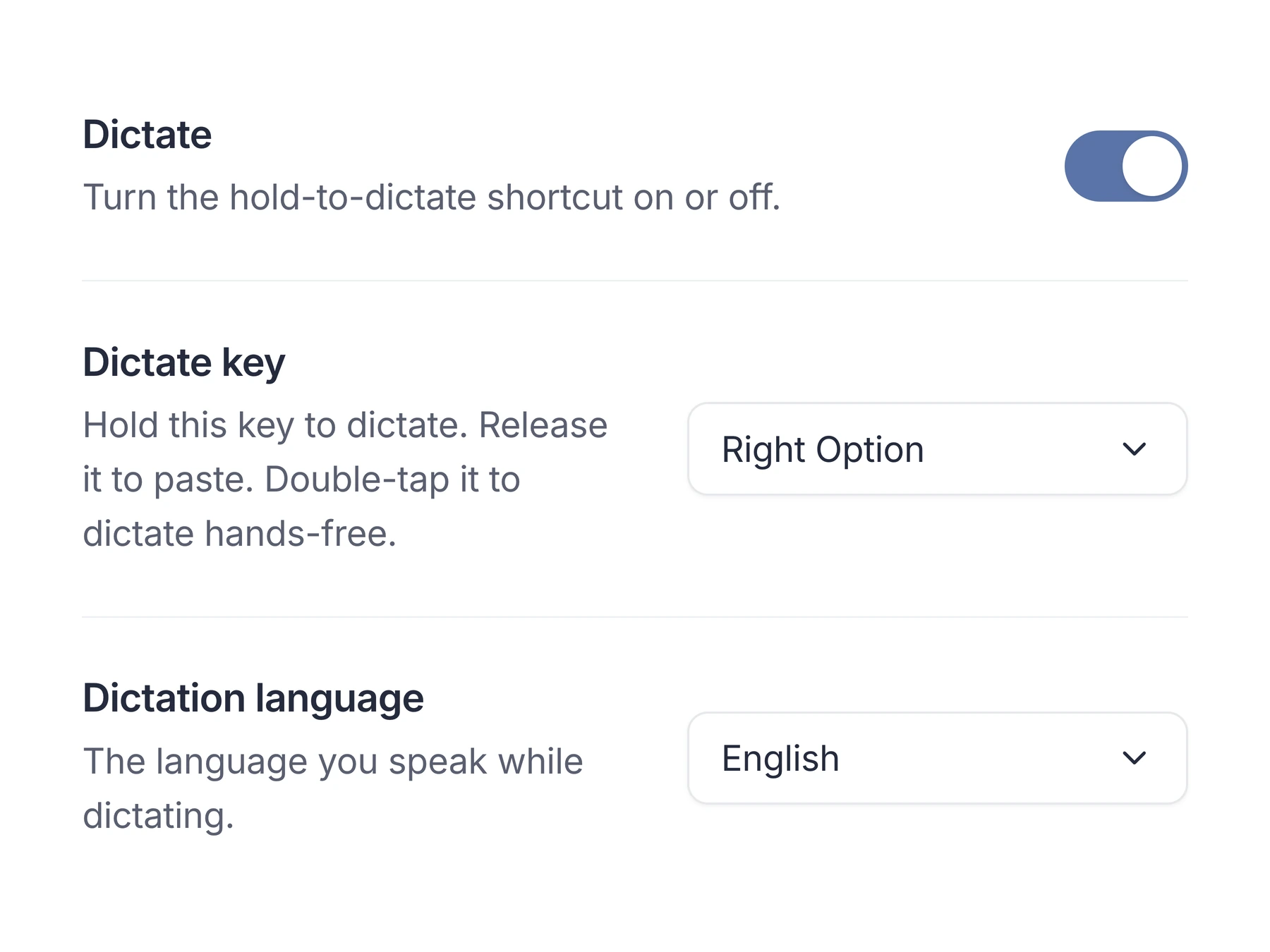
- Open Settings, then Dictate. Turn Dictate on, choose your dictate key, and pick English or Spanish as the dictation language. On Windows the key choices include Right Alt, Right Ctrl, and Right Shift. On a Mac they include Right Option, Right Shift, and Right Command.
- Click into the field where the text should go. Hold the key, speak, and let go. The text appears in that field.
- For longer passages, double-tap the key to keep dictating while you scroll the chart, then tap it once more to finish and paste.
No EHR integration is involved. The text goes in through the field you selected, which is why it works in any application that accepts typing. Your ClinicFrame account comes with a signed BAA on every plan, including the free one, and the audio is deleted once it is transcribed. That agreement covers ClinicFrame. The application you type into keeps its own privacy and security terms.
A Ten-Minute Test Before You Rely on It
Dictate this paragraph into a blank document with each tool you are comparing
- Five drug names you prescribe often, with their doses.
- One sound-alike pair from the table above, in a full sentence.
- A blood pressure, a heart rate, and one lab value with a decimal.
- A sentence with "hypo" and one with "hyper."
- Thirty seconds in your usual room, with the usual noise.
Count the errors in drug names, numbers, and opposite-meaning words. Ignore commas. A tool that gets every dose right and misses a comma is safer than one with perfect punctuation and one wrong milligram.
Sources
Studies and vendor documentation were checked on November 24, 2026. Engines are updated often, so retest after a major update.
- Zhou L, et al. Analysis of errors in dictated clinical documents assisted by speech recognition software and professional transcriptionists. JAMA Netw Open, 2018
- Koenecke A, et al. Racial disparities in automated speech recognition. PNAS, 2020
- Institute for Safe Medication Practices. List of confused drug names
- Amazon Web Services. Amazon Transcribe Medical
- Apple. Dictate messages and documents on Mac
- Microsoft. Use voice typing to talk instead of type