01
Copy by section
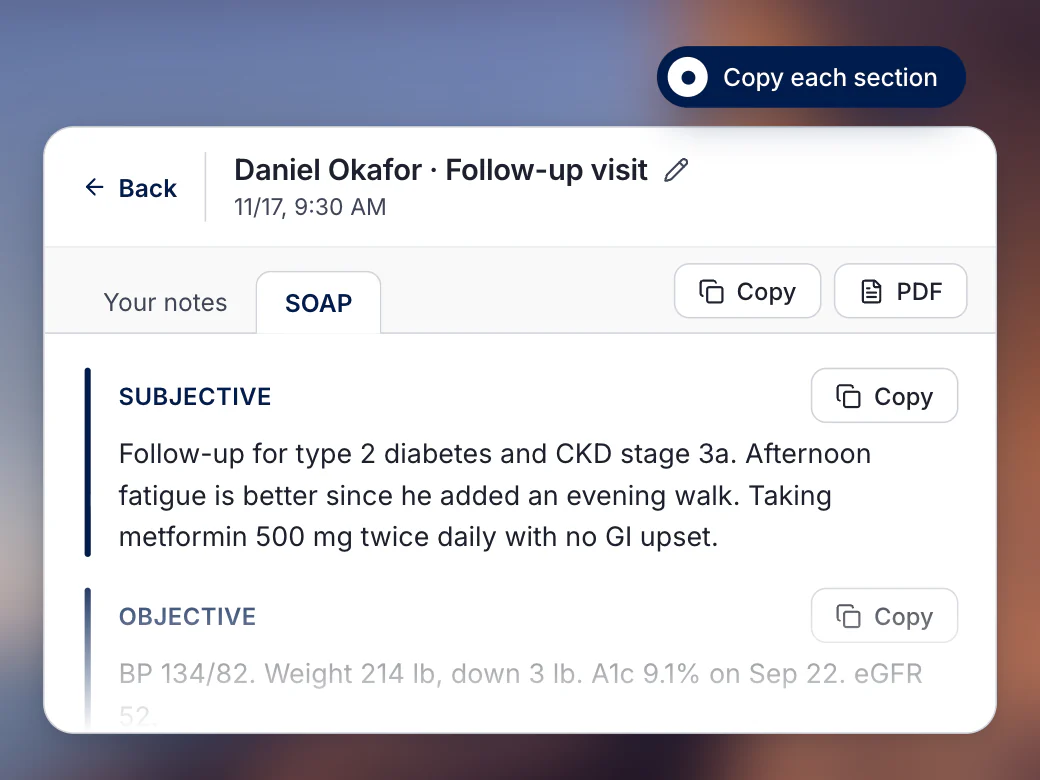
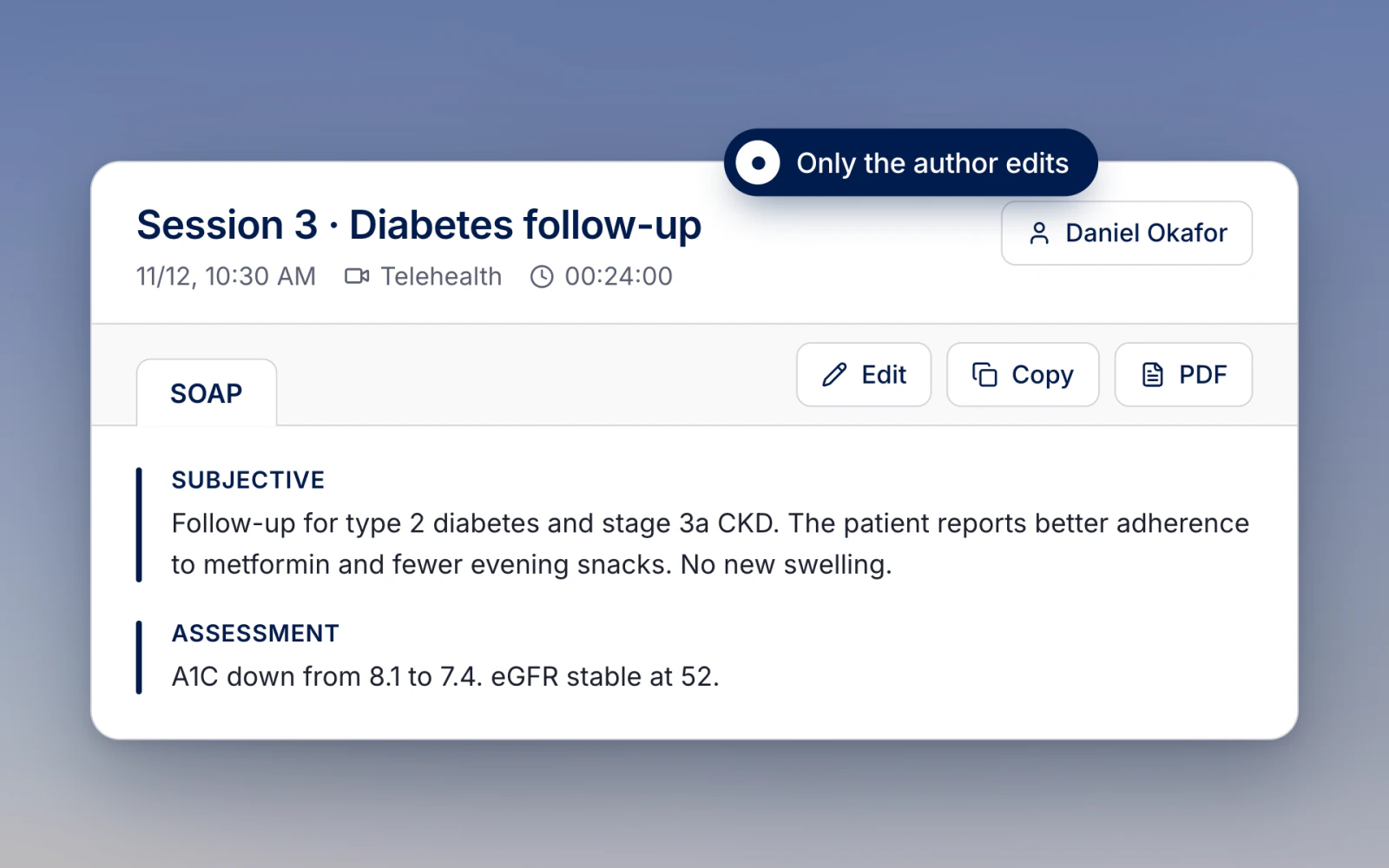
Each section of the note has its own copy button for the matching EHR field.

From the discharge packet to the care plan
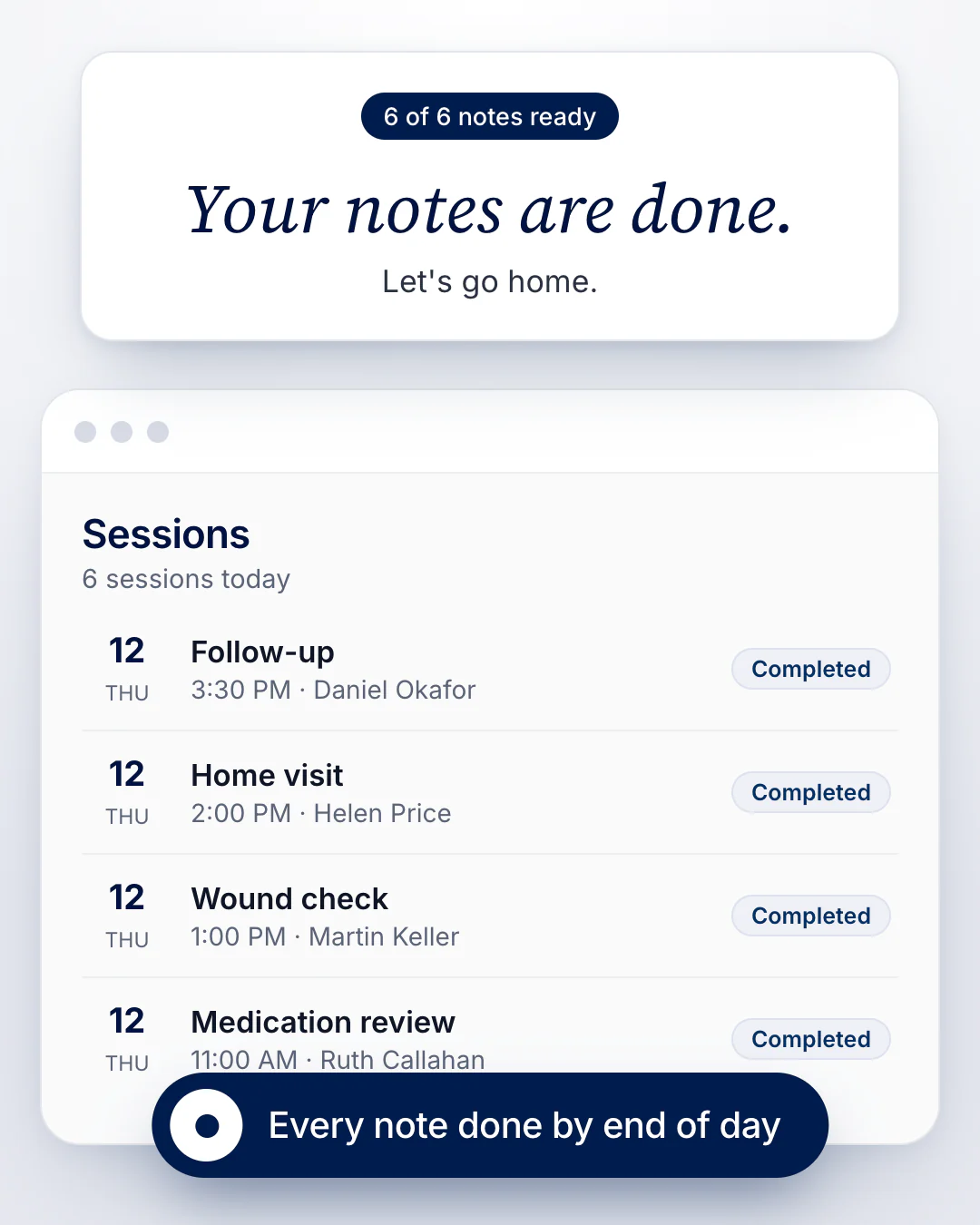
ClinicFrame reads the discharge packet before you go, writes the visit note from the visit or your dictation, and drafts the care plan and letters that follow.
Free plan · No credit card · Signed BAA on every plan
One synthetic patient, Daniel, with diabetes and kidney disease, seen in clinic and at home. Each moment works over his notes and records in ClinicFrame.
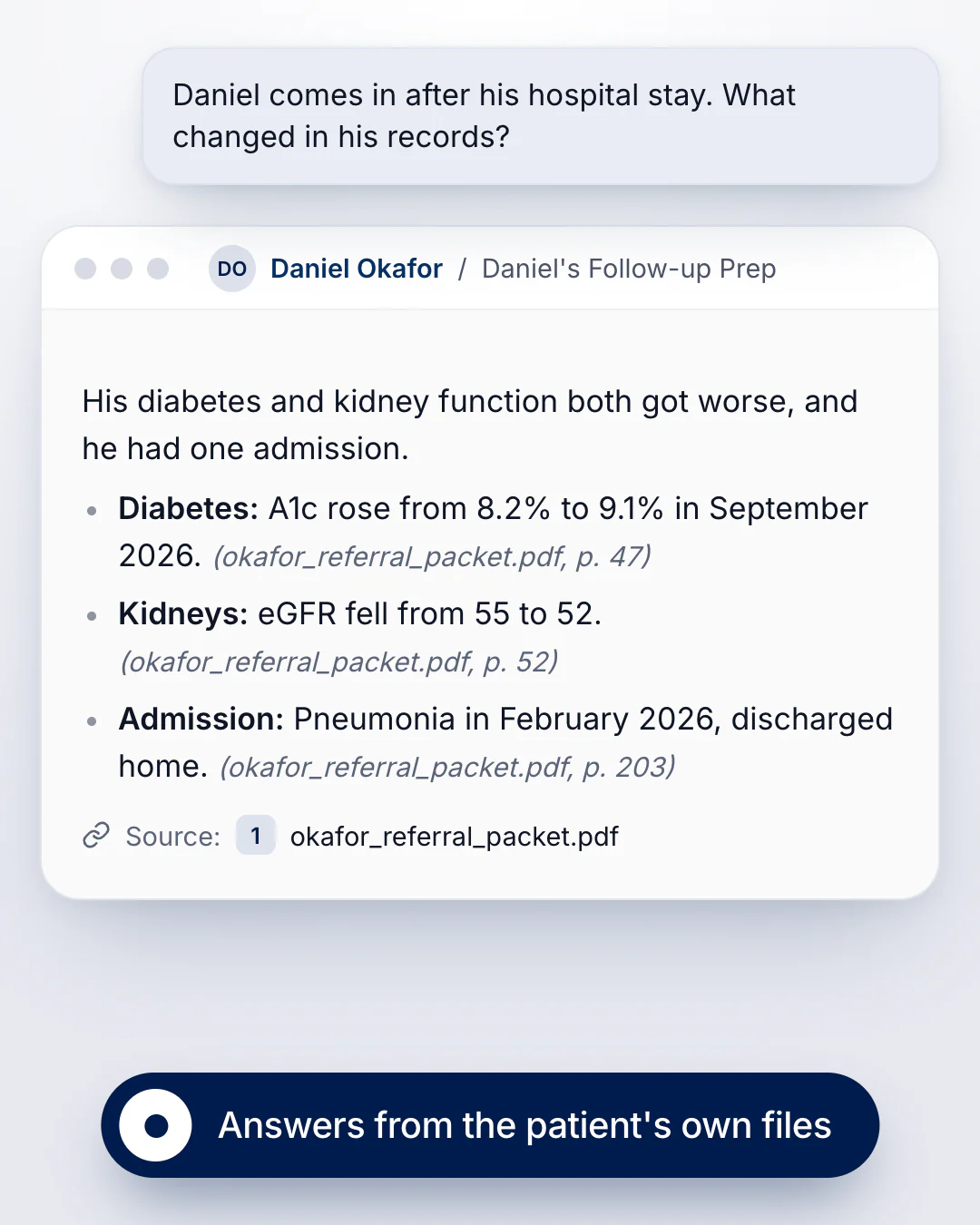
Upload the discharge summary or referral packet and ask what changed. ClinicFrame answers with the page behind each point. See records summary, or pre-charting for a returning patient.
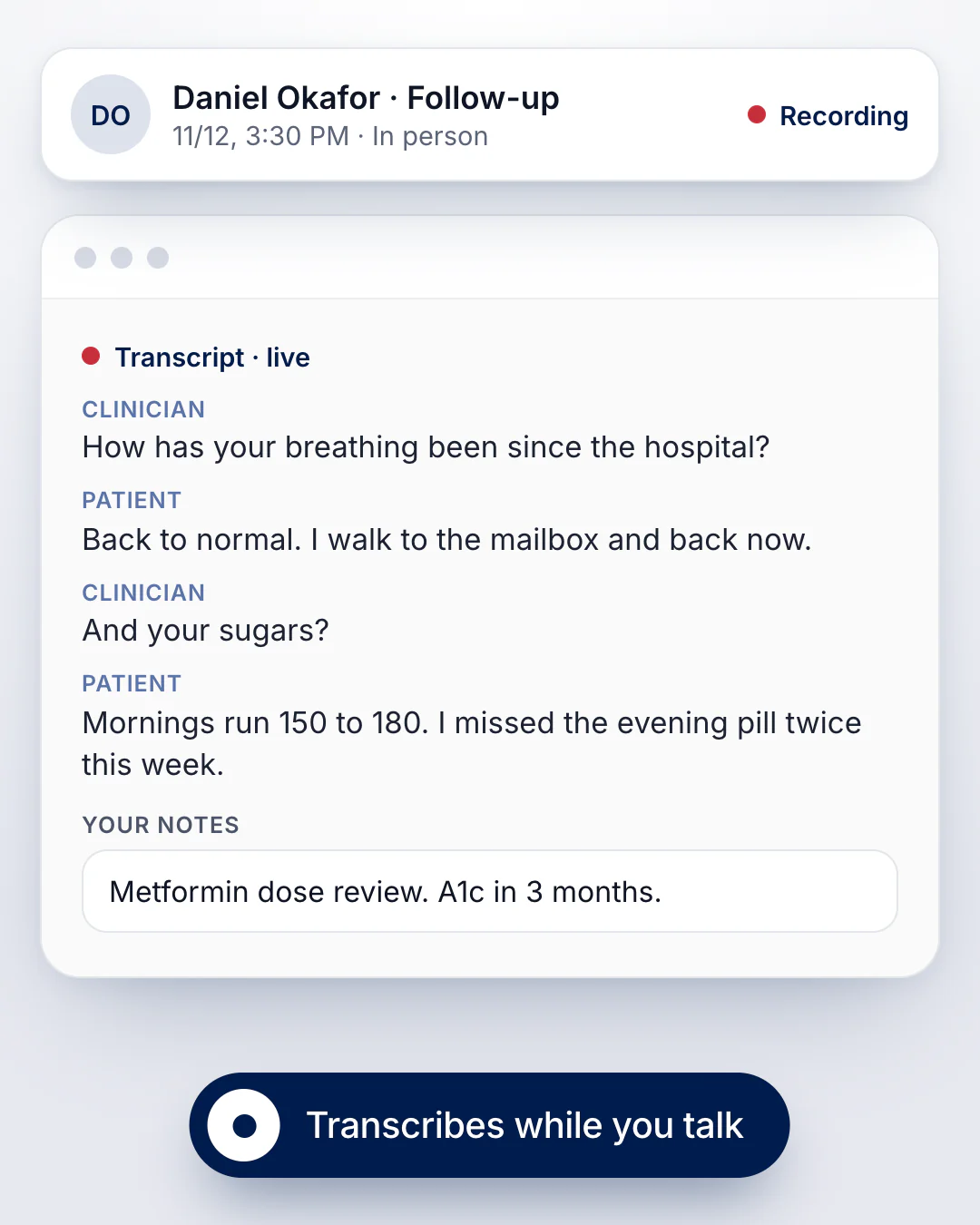
Record the visit in the clinic or on telehealth. On a home visit, dictate the note after you leave, with only your voice recorded. See the AI scribe and dictation.
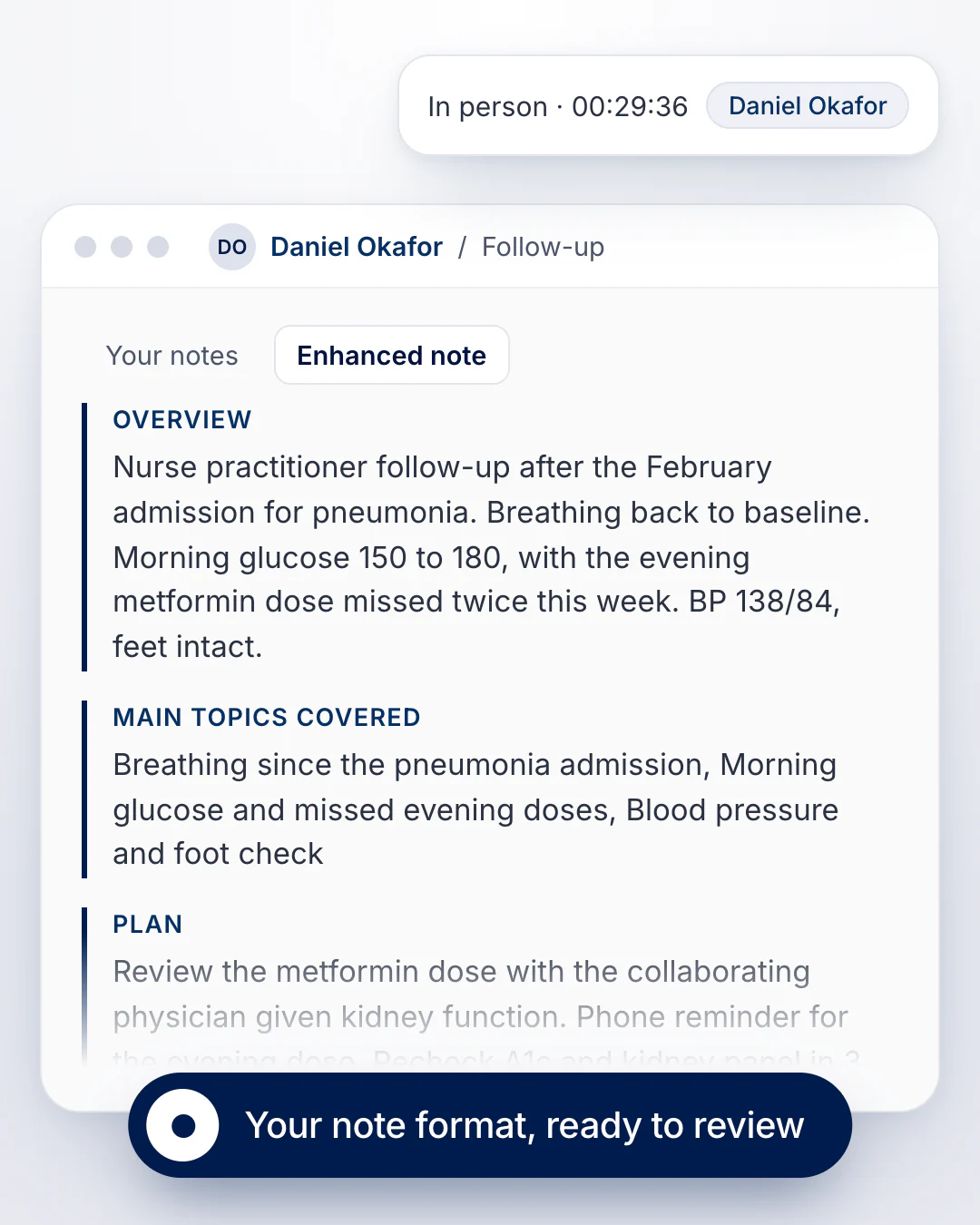
The visit note is ready to review, copy into your EHR, or export as a PDF. From the same notes, ClinicFrame drafts the care plan update and letters. See treatment plans and letters.
The note
This is Daniel's November 18 home visit, dictated by his nurse after she left, in SOAP. Your agency's format works too. Upload a note you already use and ClinicFrame builds the template. The formats and the dictation flow are on the AI nursing notes page.
Charting in PIE, or handing off by phone? Start from the PIE note template or the SBAR template.
Showing: the draft
Synthetic example. Not a real patient.
SOAP home visit note
Subjective
Seen at home with his wife present. Type 2 diabetes and chronic kidney disease stage 3a, started empagliflozin 10 mg daily on November 17.
Objective
BP 138/84 sitting. Glucose 186 two hours after lunch. Feet intact, mild ankle edema, unchanged.
Assessment
Two missed evening metformin doses this week.
Plan
Pill organizer reviewed with Daniel and his wife. Recheck BP and ankles at the next visit on Tuesday.
Medication reconciliation
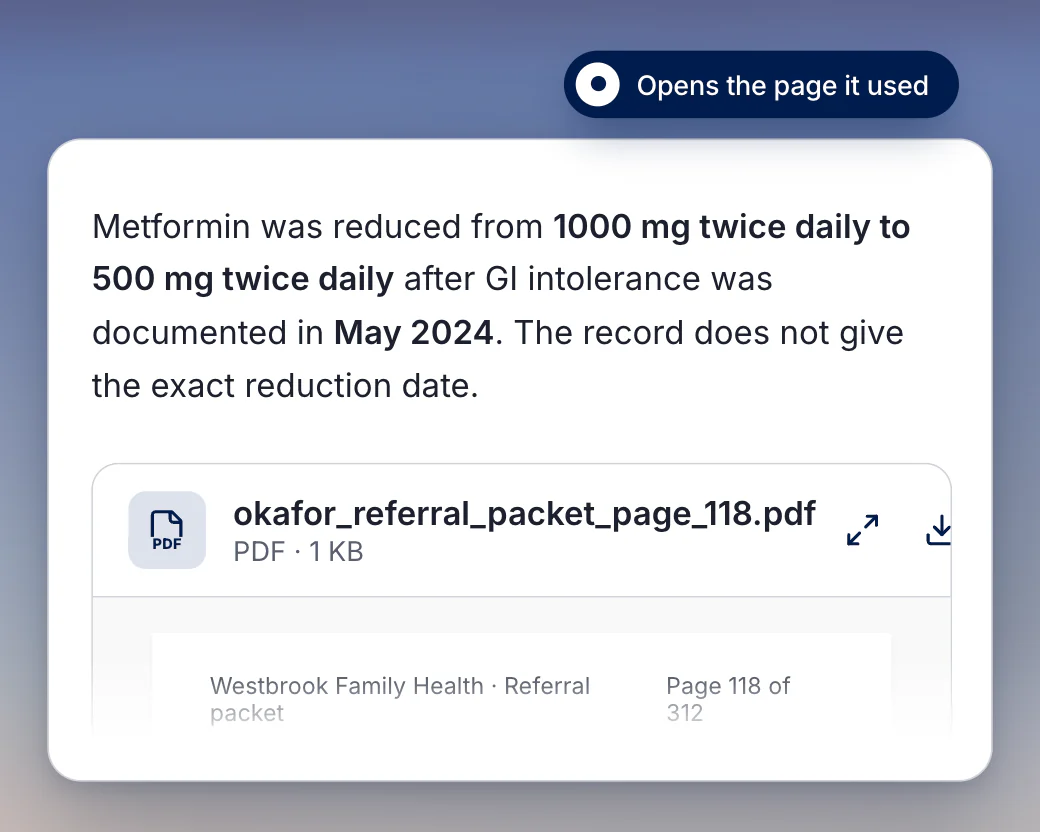
Ask when a medication changed and why. ClinicFrame answers from the discharge summary or referral packet you uploaded, and opens the page it used.
When the record does not give a date or a reason, the answer says so. A 312-page packet like Daniel's needs Plus, which reads files up to 2,000 pages. See how the AI medical records summary works.
Ask the AI medical assistant with the patient selected. Each draft cites the visits it used, and anything the notes do not say stays marked for you to fill.
Problems, interventions, and follow-up from the visits since the last plan.
In ClinicFrameDaniel's Nov 18 update: foot skin met, glucose and blood pressure not met.
For equipment or services you ordered, written from what the notes document.
In ClinicFrameReturned as a PDF or Word file to edit and sign. See treatment plans and letters.
A short summary for the NP or physician who manages the medications.
In ClinicFrameDaniel's BP of 138/84 and two missed doses, for Kevin Brooks, NP.
ClinicFrame drafts what you and the care team decided. It does not choose interventions or fill out payer forms.
ClinicFrame OS is the engine of ClinicFrame.
It connects the tools the practice already uses, like Google Calendar, Google Drive, and Dropbox. Each visit sets the next tasks in motion, and clinicians, staff, and AI pass the work along in one place, under one signed BAA.
For Daniel, the November 18 note feeds his care plan update, the summary for his prescriber, his file, and the brief before Tuesday's visit. Missing a tool? Request a connector from Settings and say what you'd use it for. Requests decide what ClinicFrame connects next. What is a clinical operating system?
“I finish my home visit notes in the car before I drive to the next patient, not at my kitchen table at 9 PM.”
ClinicFrame does not connect to your agency's EHR. Copy each section of the note into it, or export a PDF, and the EHR stays the record your agency audits.
Each section of the note has its own copy button for the matching EHR field.
Visit audio is processed and discarded. The transcript and the note stay in your account.
Signed with every account, Free included.
ClinicFrame does not use patient content to train AI models.
Read how ClinicFrame protects patient dataHow we protect patient data →
Nursing teams
Share your nursing template with every nurse and NP, work on the same patients, and keep one BAA for the practice. Each note stays editable only by the clinician who wrote it.
Seats are billed per clinician. See ClinicFrame Teams, or ClinicFrame for clinics for a larger practice.
Free is enough to try ClinicFrame on real visits. A full panel fits Basic.
$27.99per user / month
$335.88 per user, billed yearly
$71.99per user / month
$863.88 per user, billed yearly
Free includes 15 visits a week, 20 chat questions a week, 2 patients. Signed BAA, no credit card.Try it for free
Dictation does not count against any limit. Compare every plan. Need custom terms? Talk to us about Enterprise.
Straight answers for nurses and NPs about notes, records, and patient data.
ClinicFrame reads the discharge summary or referral packet before you go, writes the visit note from a recorded visit or your dictation after a home visit, and drafts the care plan update and letters from your notes. You review and sign everything it writes.
A nurse practitioner records the visit and ClinicFrame drafts the full visit note, including the plan you stated. It also reads outside records with the page behind each answer and drafts letters from your notes. The prescribing decision stays yours. Your account comes with its own signed BAA.
Yes. Choose Dictation in the browser or the desktop app and talk the visit through after you leave. Only your voice is recorded, and ClinicFrame writes the note in your template. Dictation does not count against any plan limit.
No. Your EHR stays the chart of record. Copy each section of the note into the EHR, or export the note as a PDF. ClinicFrame does not send notes to an EHR on its own.
Yes. Upload the file as a PDF, Word, or text file and ask what changed. ClinicFrame names the page behind each point. Files can run up to 25 pages on Free, 100 on Basic, and 2,000 on Plus. Check scanned pages against the original.
It drafts one from your visit notes. Each goal is marked met or not met with the visit it came from, and anything the notes do not cover stays marked for you. ClinicFrame does not choose interventions. You edit and sign the plan.
Plan on it. Getting consent is your responsibility, under your state's rules and your employer's policy. Some states require every person in the conversation to consent, so on a home visit ask family members in the room too. If a patient says no, dictate the note after the visit. This is not legal advice.
ClinicFrame signs a Business Associate Agreement with every account, Free included, so an independent nurse gets one without an employer in the middle. Visit audio is processed and discarded, data is encrypted in transit and at rest, and patient content is not used to train AI models.
Free plan, no credit card, signed BAA included.
Updated