The letter
The payer letter for tooth 19, or a referral to a periodontist, drafted from his notes as a Word file.

From the health history to the letter after the visit
ClinicFrame reads the patient's medical history before the appointment, writes the treatment note after it, and drafts the letters that follow from your notes.
Free plan · No credit card · Signed BAA on every plan
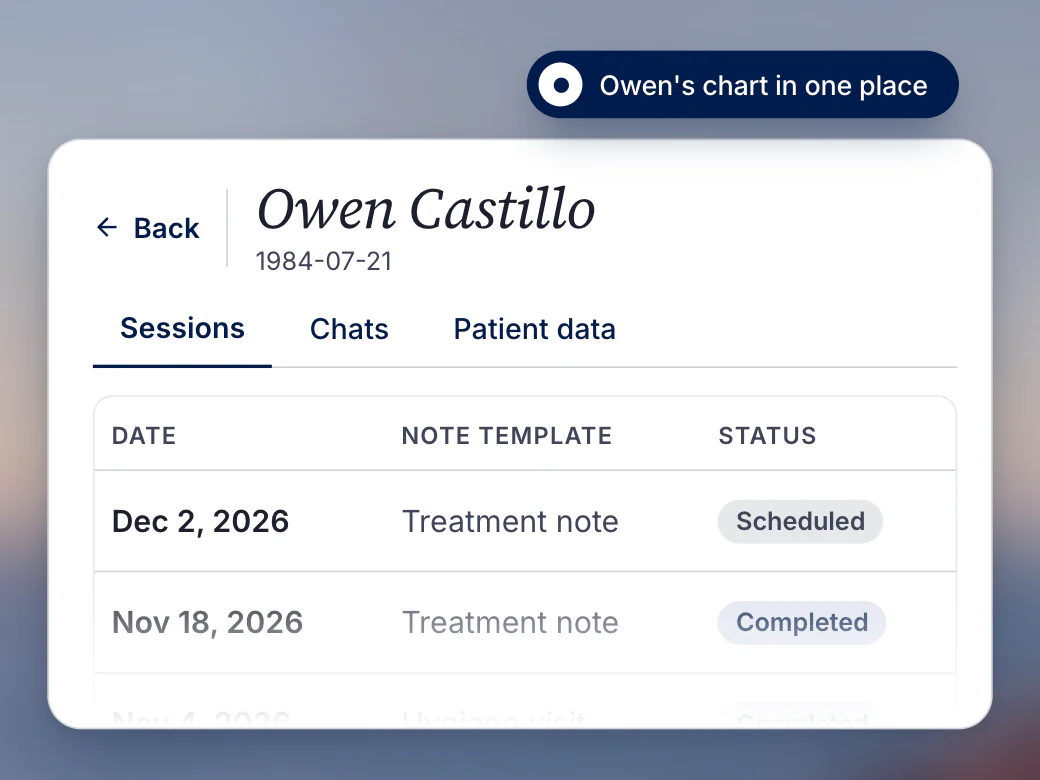
One synthetic patient, Owen, through one appointment. Each moment works over his notes and files in ClinicFrame.
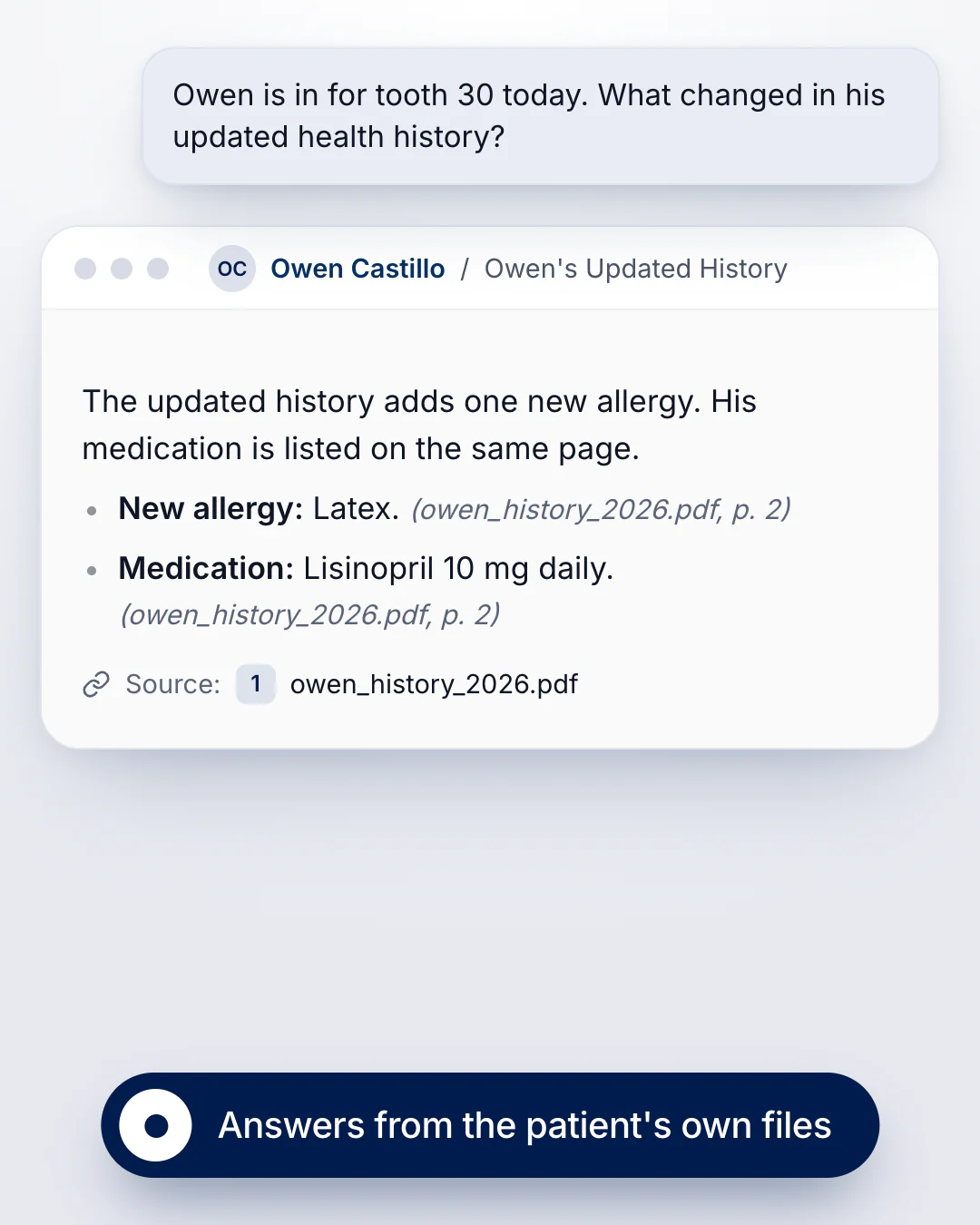
Upload his updated health history and ask what changed. ClinicFrame points out a new allergy or medication with the page behind it. See records summary and pre-charting.
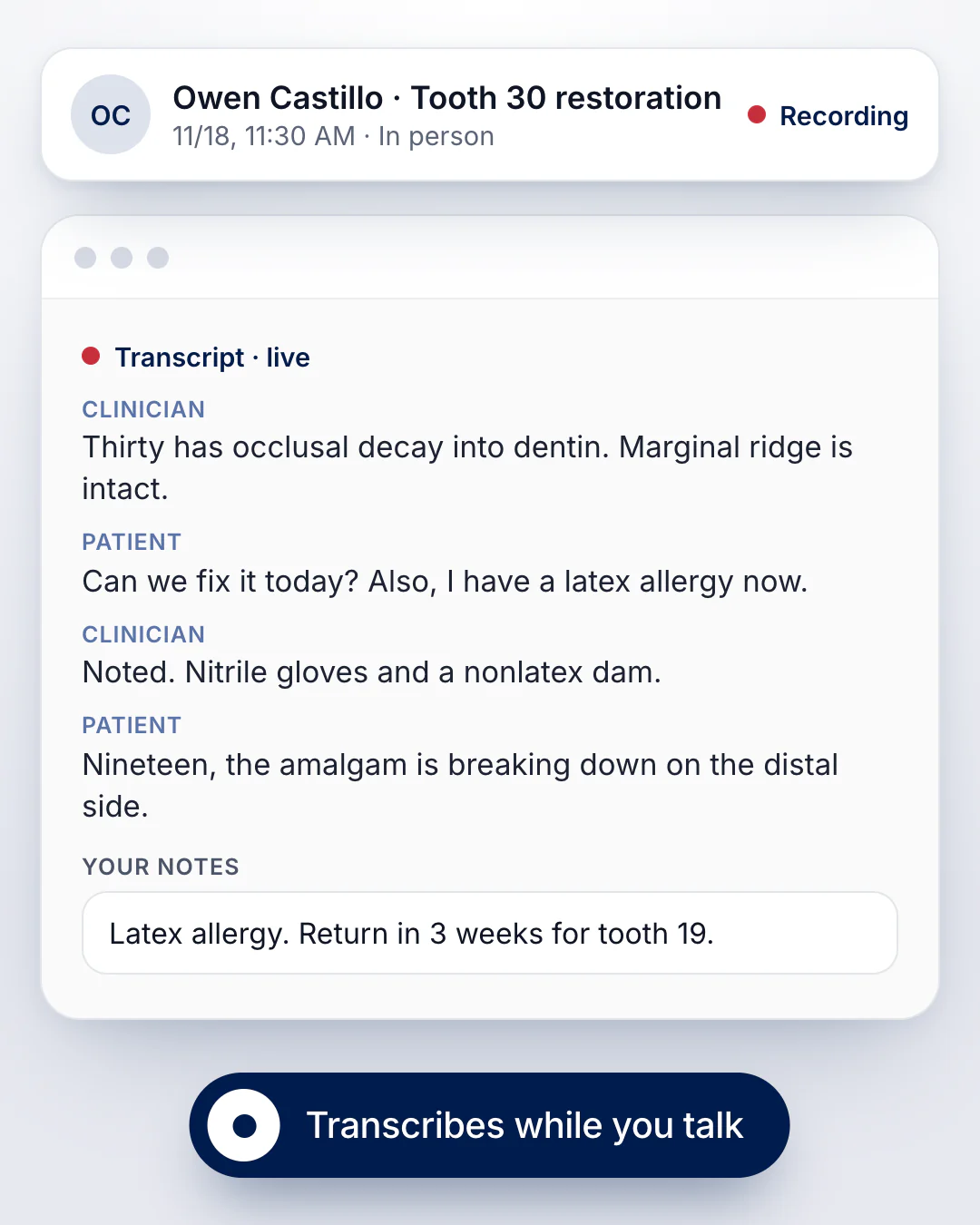
Record the exam conversation, or dictate findings between patients while the next chair is set up. The tooth numbers you say out loud go into the draft. See the AI scribe and dictation.
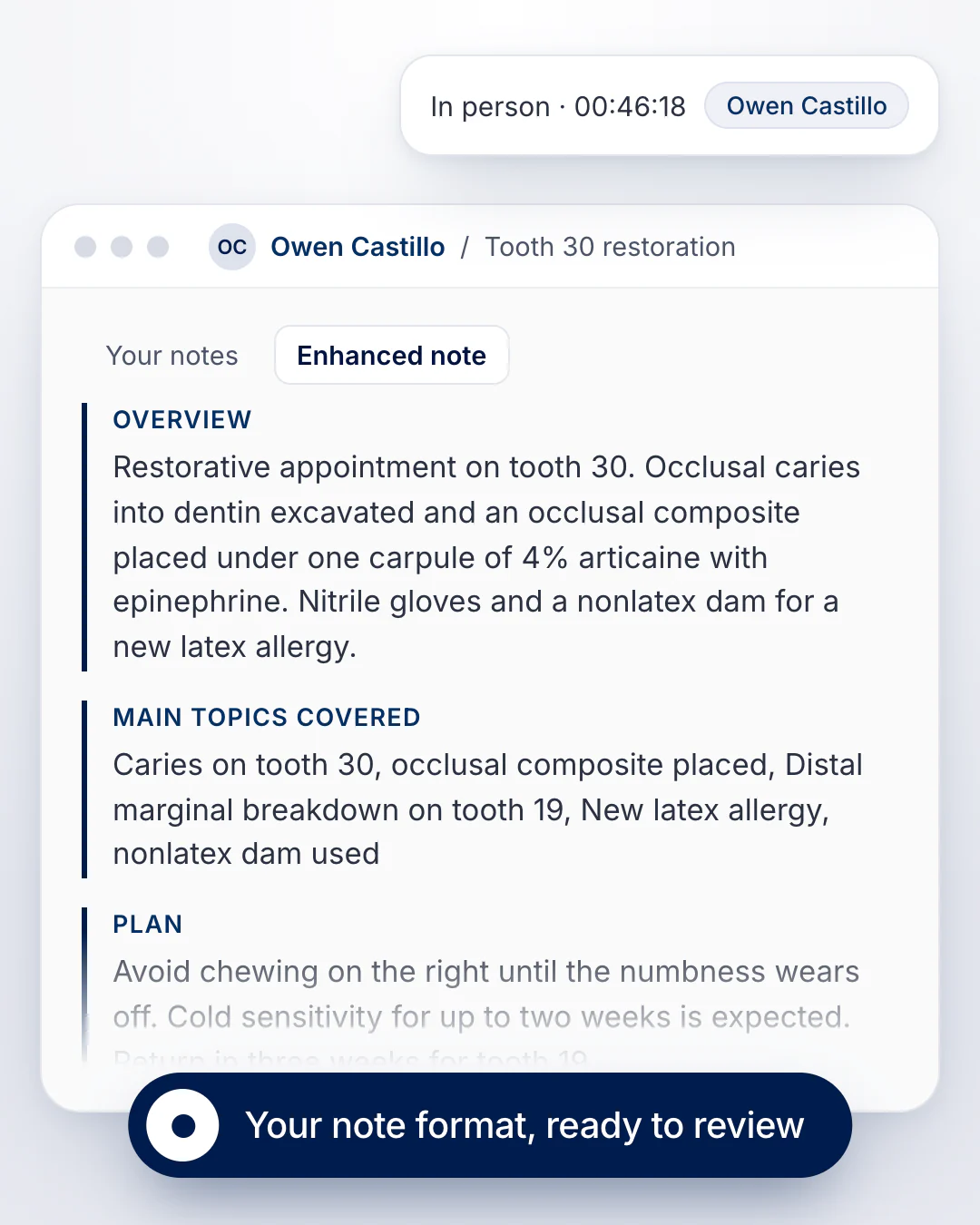
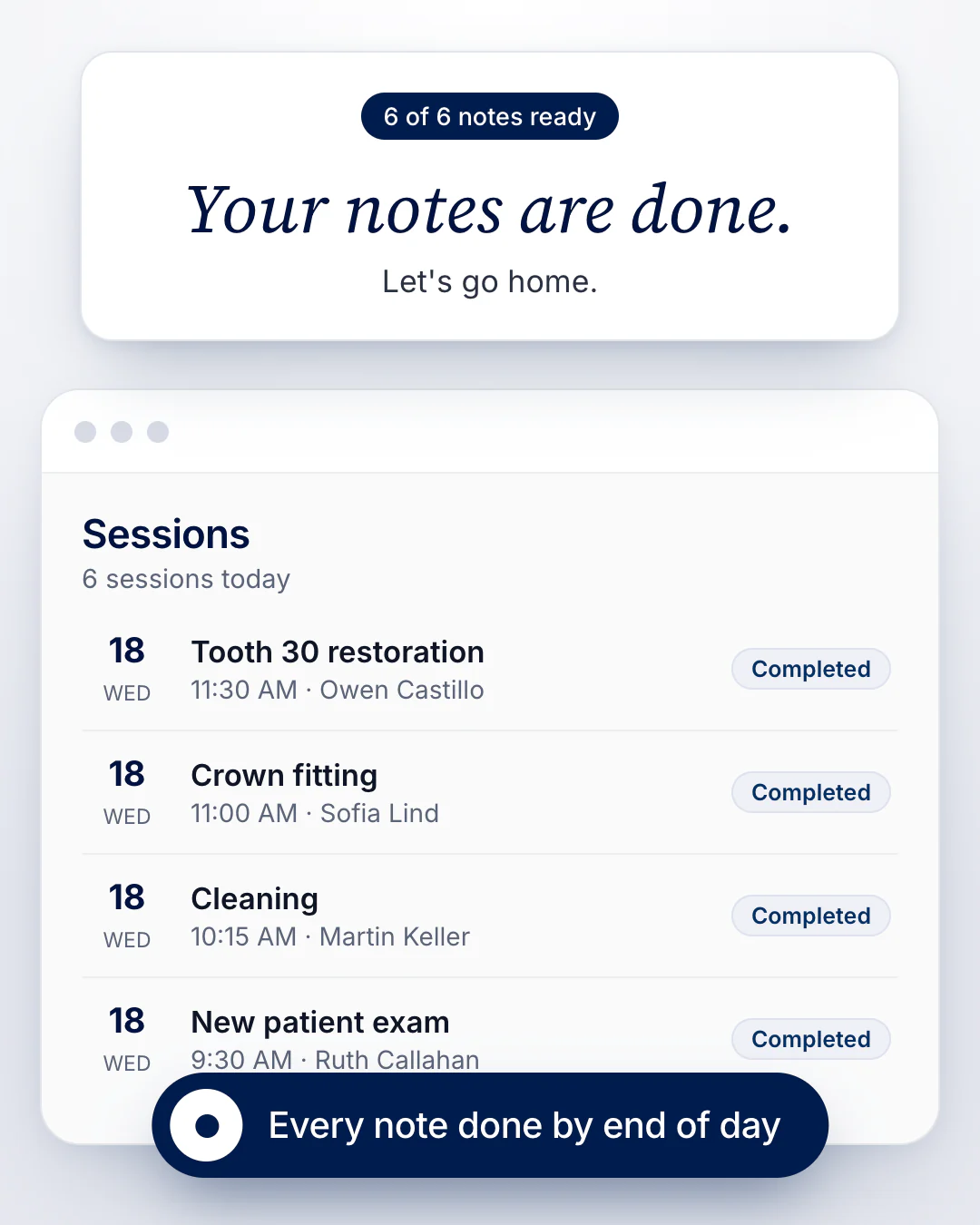
The treatment note is ready to review, with findings, procedure, and post-op instructions. From the same notes, ClinicFrame drafts letters as a Word file. See treatment plans and letters.
The note
This is Owen's November 18 restoration in a treatment note template. Read every line and sign it, then copy it into your practice management software or export a PDF. Recording, dictation, and templates are on the dental AI scribe page.
Probing depths go in by voice too. Our guide to dental charting covers what each chart should hold.
Showing: the draft
Synthetic example. Not a real patient.
Treatment note
Findings
Tooth 30: occlusal caries into dentin, marginal ridge intact.
Tooth 19: amalgam with distal marginal breakdown. Tooth 3: incipient demineralization, watch.
Procedure
Right inferior alveolar block, one carpule of 4% articaine with epinephrine. Nitrile gloves and a nonlatex dam for the latex allergy.
Caries excavated under isolation. Composite placed, cured, adjusted, and polished.
Post-op and plan
Avoid chewing on the right until the numbness wears off. Cold sensitivity for up to two weeks is expected. Return in three weeks for tooth 19.
Before Owen's restoration, upload his updated health history and ask the AI medical assistant about it. Each answer names the page it came from. The clinical decision stays with you.
Ask what the patient takes today and when a dose last changed.
In the answerEach medication with the page that lists it.
Ask whether anything happened since the last appointment, such as a stay or a new diagnosis.
In the answerThe date and the page of the record that shows it.
Ask whether the record lists an allergy, such as to a local anesthetic or latex.
In the answerThe allergy and its page, or a plain answer that the record lists none. Long histories need Plus, up to 2,000 pages a file. See records summary.
When tooth 19 needs a payer letter, or a patient needs a periodontist or endodontist, ClinicFrame drafts the letter from your notes as a Word file.
Select Owen, whose notes the letter should use.
Ask in the chat for a letter to the payer about tooth 19.
Anything the notes do not say, such as radiographs, stays marked.
Read the letter, correct it, and send it as yours.
For a denied procedure, upload the denial letter and ClinicFrame drafts the appeal from the notes. It does not fill out payer forms or predict approval. See treatment plans and letters.
ClinicFrame OS is the engine of ClinicFrame. It connects the tools your practice already uses, and each visit sets the next tasks in motion. Clinicians, staff, and AI pass the work along in one place, under one signed BAA.
The payer letter for tooth 19, or a referral to a periodontist, drafted from his notes as a Word file.
Tooth 19 in three weeks and tooth 3 on watch, pulled from the findings you called out.
His health history, bitewings, and crown plan sit with his appointments.
A brief before the tooth 19 appointment, with the latex allergy at the top.
Google Calendar, Google Drive, and Dropbox connect today. Missing a tool? Request a connector from Settings and say what you'd use it for. Requests decide what ClinicFrame connects next.
“I call out the perio numbers while I probe, and the chart is documented by the time I take my gloves off.”
Talk the findings through between patients, and ClinicFrame writes the note. With the desktop app, Dictate Anywhere pastes your words at the cursor in any app on your computer.
Dictation does not count against any plan limit, Free included.
Appointment audio is processed and discarded. The transcript and the note stay in your account.
Signed with every account, Free included.
ClinicFrame does not use patient content to train AI models.
Read how ClinicFrame protects patient dataHow we protect patient data →
Group practices
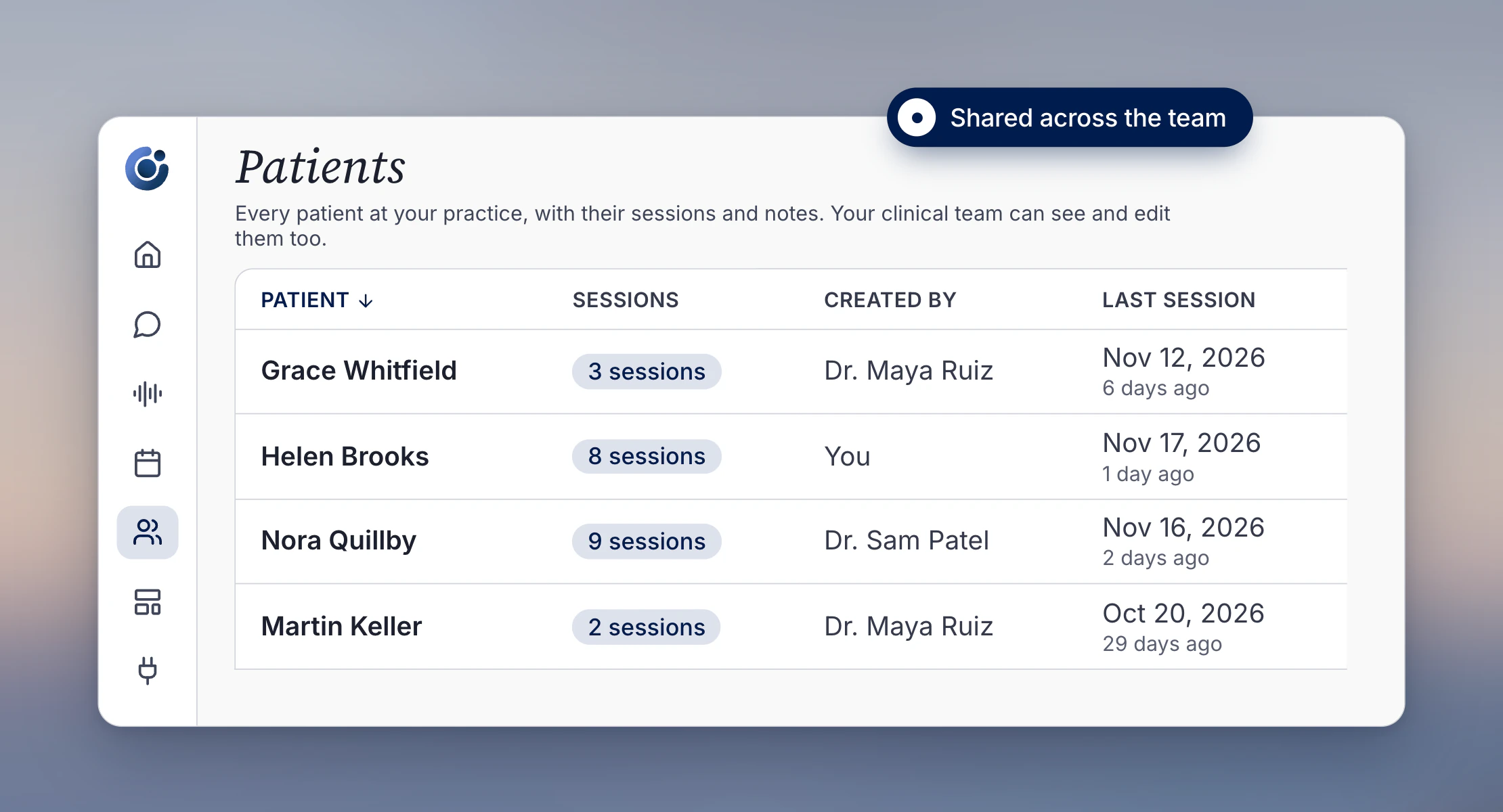
Share your note template with every dentist and hygienist, work on the same patients, and keep one BAA for the practice. Each note stays editable only by the clinician who wrote it.
Seats are billed per clinician. See ClinicFrame Teams, or ClinicFrame for clinics for a larger group.
Free is enough to try ClinicFrame on real appointments. A full schedule fits Basic.
$27.99per user / month
$335.88 per user, billed yearly
$71.99per user / month
$863.88 per user, billed yearly
Free includes 15 visits a week, 20 chat questions a week, 2 patients. Signed BAA, no credit card.Try it for free
Dictation has no limit on any plan. Compare every plan. Need custom terms? Talk to us about Enterprise.
Straight answers for dentists about notes, dictation, and patient data.
ClinicFrame does a dental practice's paperwork. It checks the health history you upload with the page behind each answer, writes the treatment note from the appointment or your dictation, builds the periodontal chart you call out, and drafts referral and payer letters from your notes. You review and sign everything.
Yes. Ask ClinicFrame Assistant for it by voice. Call out the pocket depths and bleeding points as you probe, and it builds the periodontal chart for you to review. You check every reading before it goes in the record.
Yes. Choose Dictation and talk the appointment through after the patient leaves the chair. Only your voice is recorded, and ClinicFrame writes the note in your format. Dictation does not count against any plan limit.
With the desktop app, Dictate Anywhere pastes your dictated words at the cursor in any text field on your computer. It is not an integration, and ClinicFrame does not read from or write to your practice management software. You can also copy a finished note or export a PDF.
Yes. Ask ClinicFrame for a referral letter with the patient selected, and it drafts one from your notes as a Word file. Anything the notes do not cover stays marked for you to fill. The letter uses ClinicFrame's Word template, not your letterhead.
Upload the denial letter and ClinicFrame drafts an appeal from the patient's notes and files. It does not choose procedure codes, fill out payer forms, or predict whether the appeal succeeds. You review and sign the letter.
Yes. ClinicFrame writes each note in the language of the appointment, English or Spanish. When the language is unclear, it writes the note in English.
ClinicFrame signs a Business Associate Agreement with every account, Free included. Appointment audio is processed and discarded, data is encrypted in transit and at rest, and patient content is not used to train AI models. Your own privacy practices still apply.
Free plan, no credit card, signed BAA included.
Updated