ClinicFrame publishes this comparison, and ClinicFrame is one of the five tools on it. ClinicFrame has no direct integration with eClinicalWorks, so it is ranked by the same rule as the others: how the note gets into the chart. We checked every vendor page on November 24, 2026.
eClinicalWorks, or eCW, is an EHR that many US outpatient practices chart in, from solo offices to community health centers. If you chart in it, the AI scribe question has two parts. Which tool writes a good draft of the visit? And how does that draft get into the eCW progress note without retyping? The second question decides most of the time you save.
We ranked five options by that second question. Sunoh.ai runs inside eCW. Heidi and Freed sit on top of the eCW screen and push mapped sections into fields. Commure syncs for group practices. ClinicFrame hands you the note to copy, a PDF, or dictation into the field you select. Each card below says what lands where, what it costs, and who has to set it up.
AI scribes for eClinicalWorks at a glance
| Rank and tool | How the note reaches eCW | What lands in the chart | Published price | BAA |
|---|---|---|---|---|
| 1. Sunoh.ai | Native, inside eClinicalWorks | SOAP content, labs, future appointments, and orders you edit and import into the Progress Note | $149 per user per month (limited-time rate, down from $199) | BAA listed as included |
| 2. Heidi | Vim overlay on top of eCW | Note sections mapped to matching eCW fields, such as Chief Complaint, HPI, ROS, and the SOAP sections | No US price on the pricing page. Clinician plan has a 14-day trial | Confirm with Heidi |
| 3. Freed | Chrome extension with EHR Push | Chief Complaint, HPI, ROS, Objective, and diagnoses with ICD-10 codes in Assessment, plan details in Internal Clinical Notes | Premier $119 a month, or $104 a month billed annually, for EHR Push | Organization-wide BAA listed under admin features |
| 4. Commure Scribe | Sync for groups, copy and paste for small practices | Progress Note sections, vitals as narrative, and selected diagnoses and lab and imaging orders after review | Not on the eCW page. Commure's eCW article lists $89 a month, or $59 billed annually | Confirm with Commure |
| 5. ClinicFrame | Copy, PDF, or Dictate Anywhere into the field you select | Nothing automatically. You paste the full note or each section, or dictate into the open field | Free $0, Basic $34.99, Plus $89.99 per user per month | Signed BAA on every plan, Free included |
Prices are what each vendor publishes for one clinician. A practice of five should ask for a quote from every vendor, including the ones with a public price.
How the note reaches eClinicalWorks
An AI scribe writes the draft outside your chart. Something has to carry it into eCW. Today there are four ways that happens, and they differ in setup, in what can break, and in how many clicks you spend per visit.
| Handoff method | How it works in eCW | Who sets it up | What to check on day one |
|---|---|---|---|
| Native, inside eCW | The scribe opens from the appointment and imports into the Progress Note | eClinicalWorks, as part of the purchase | Which sections and orders you still edit by hand |
| Overlay with field mapping | A browser layer reads the open encounter and pushes each note section to a matching eCW field | You or a practice admin installs the extension or Vim Connect | That the push lands on the right patient and the right encounter |
| Sync for groups | The reviewed note goes to eCW with one click, and the eCW schedule shows up in the scribe | The vendor and your eCW admin | Whether your practice size qualifies for sync |
| Copy, PDF, or dictation | You paste the note or each section, attach a PDF, or dictate into the field you selected | Nobody beyond you | How long the paste takes per visit, and which fields you fill |
Field mapping is the part to understand before you buy. An eCW progress note is not one big text box. It has separate fields for the Chief Complaint, the HPI, the ROS, the exam, and the assessment and plan. HPI is the history of present illness, the story of why the patient came in. ROS is the review of systems, the body-system checklist. A scribe that pushes one block of text into HPI saves typing but leaves you sorting. A scribe that maps each section to its field saves the sorting too.
Mapping has a cost. It depends on headers in your template matching what the tool expects. Freed, for example, only fills the ROS field when the note has an explicit ROS header, and puts it in HPI when it does not. Change your template and the mapping can change with it. That is why the first week with any overlay should be spent on test patients.
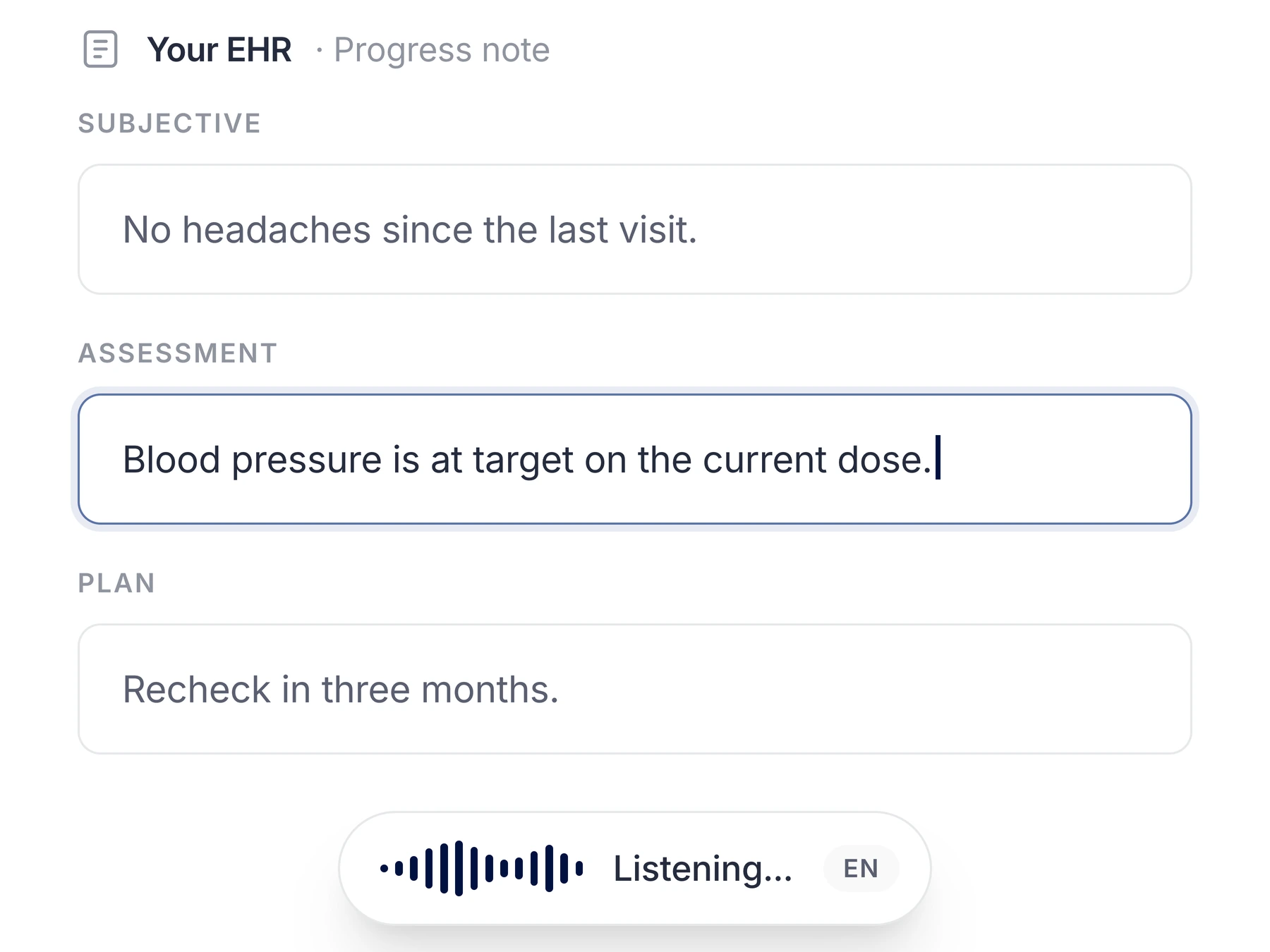
Copy and paste sounds like the weakest route, and for orders it is. For the note itself, the gap is smaller than it looks. ClinicFrame lets you copy each section on its own, so you paste Subjective into HPI and Assessment into Assessment. That takes about as many clicks as checking a mapped push before you sign. What you lose is the automatic diagnosis codes and orders. What you keep is one tool that works the same way in any EHR you move to later.
The best options for eClinicalWorks users
The order follows how far the note travels into eCW without your hands. Price, setup work, and what else each account does decide the order between options that move the note the same way.
1. Sunoh.ai, best for practices that want the scribe inside eCW itself
Sunoh.ai was developed by healow, a company in the eClinicalWorks family, and eClinicalWorks sells it as an add-on to its EHR. It runs inside the appointment, so there is no second window and no browser layer to install.
eClinicalWorks says Sunoh produces a SOAP note, labs, future appointments, and other orders that the provider edits and imports into the eCW Progress Note. On the phone app, it can prefill medication, lab, imaging, and referral orders. It also runs on the iPad through eClinicalTouch.
The listed price is $149 per user per month for a limited time, down from $199, and eClinicalWorks adds that more monthly charges may apply. Sunoh's own site lists a BAA and implementation services as included.
It only makes sense if you stay on eCW, and the final monthly cost depends on a quote. Ask sales for the full price per provider before you plan the budget.
2. Heidi, best for clinicians who want a widget on top of the eCW chart
Heidi reaches eClinicalWorks through Vim, a company that adds a toolbar on top of an EHR. Heidi shows up as a widget in that toolbar, loads the patient from the open encounter, and transcribes while you see the patient.
Heidi's help center says it builds note templates that match your eCW fields, and Vim maps each section to the right field when you push the note. The examples it lists are Chief Complaint, HPI, ROS, and the four SOAP sections. You review and edit the draft before you push it.
A solo clinician sets up a Vim account alone. A practice needs an organization admin to deploy Vim Connect to every user. Heidi's US pricing page shows a free seat, a Clinician plan with a 14-day trial, and Teams by request, without monthly prices.
Vim is a second vendor in the chain. Ask both Heidi and Vim who answers when a push lands in the wrong field, and get the cost of the Vim step in writing.
3. Freed, best for solo clinicians who already chart in eCW through Chrome
Freed works with eCW through its Chrome extension. You open the patient's progress note in Chrome, record the visit, review the draft, and click Push to EHR. Freed's help article says you must open eCW in a Chrome tab rather than the installed web app.
The push sorts the note into fields. HPI gets the Subjective content, ROS gets its own field when the note has an ROS header, and each diagnosis is matched to an ICD-10 code in Assessment. ICD-10 is the diagnosis code set that insurers read on a claim. Plan details go to Internal Clinical Notes by default.
EHR Push comes with Premier, at $119 a month or $104 a month billed annually. On Starter and Core, Freed's eCW guide says you copy the note into eCW section by section. Freed labels eCW push as beta and asks you to check patient, encounter, and fields before you sign.
Patient instructions and CPT codes do not transfer, and the push is in beta. Test it on a dummy patient in your own eCW before a real clinic day.
4. Commure Scribe, best for groups that want one-click sync and orders sent to eCW
Commure splits eCW users in two. For group practices, its integration page says the reviewed note goes to eCW with one-click sync, and appointments from the eCW schedule show up in the scribe. For small and independent practices, you copy and paste the note, and a Chrome extension overlay can carry that step.
With sync, the note fills Progress Note sections like Chief Complaint, HPI, history, ROS, exam, assessment, and plan. Vitals arrive as narrative text. After review, you can also send ICD-10 diagnoses and lab and imaging orders. There is a 7-day trial with no credit card.
The sync is described for groups. A practice of two or three should ask which path it gets before it signs.
5. ClinicFrame, best for practices that want the note plus letters and file questions under one BAA
ClinicFrame has no direct integration with eClinicalWorks. We list it here because a lot of eCW users ask about it, and because it does more than the visit note. The note moves into eCW one of three ways. You copy the full note or each section, you export a PDF, or you use Dictate Anywhere.
Dictate Anywhere runs in the ClinicFrame desktop app for Mac and Windows. Click into an eCW field, hold your dictate key, speak, and release. The text lands at the cursor. It does not need an eCW integration, so check it in the fields your practice uses before you rely on it.
The rest of the account is where ClinicFrame fits. The AI Assistant answers questions over a patient's files with the source page, and it writes the referral letter or treatment plan that follows the visit. Notes come in SOAP, DAP, BIRP, or a template you define.
On ClinicFrame the visit audio is discarded once the note is written, and the BAA is signed on the Free plan too. If you want to see how the AI scribe drafts a visit before you plan the eCW step, the Free plan covers 15 visits a week with no credit card. For narrating a note after the patient leaves, the dictation mode returns the same structured note.
No push into eCW fields and no orders. If your day depends on orders flowing from the scribe, Sunoh or a synced option fits better.
Setup time and cost
The monthly price is the smaller part of the decision. The larger part is who has to touch eCW to make the scribe work, and how long that takes. Here is the same five, side by side, for a practice with one clinician and for one with five.
| Tool | What setup takes | One clinician, per month | Five clinicians, per month |
|---|---|---|---|
| Sunoh.ai | Purchase and implementation through eClinicalWorks | $149 listed, more monthly charges may apply | $745 at the listed rate, quote required |
| Heidi | An implementation call with Vim, then Vim Connect in Chrome on each Mac or Windows computer | Not published for the US | Teams pricing by request |
| Freed | Chrome extension, eCW opened in a Chrome tab, Premier plan for push | $119, or $104 billed annually | $595, or $520 billed annually. Groups plan is custom |
| Commure Scribe | Sync configured for groups, or a Chrome overlay for small practices | $89, or $59 billed annually, per Commure's own article | $445, or $295 billed annually. Custom from six providers |
| ClinicFrame | Browser sign-up, desktop app for Mac or Windows to use Dictate Anywhere | $0 on Free, $34.99 on Basic, $27.99 per user per month on an annual plan | $174.95 on Basic, or $139.95 billed annually |
Five-clinician figures multiply the published single price. They are a ceiling for planning, not a quote. eCW itself is billed separately by eClinicalWorks and is not included in any row.
A two-week eCW pilot that gives you a real answer
Vendor demos happen on clean templates. Your eCW has your templates, your field names, and your habits. Run the test there, with a list of steps written before you start.
- Pick ten visit types you see every week, from a quick follow-up to a new-patient visit.
- Create a test patient in eCW, or ask your admin for one, so nothing lands in a real chart.
- Record the same scripted visit with each scribe. Use a synthetic patient and read the same lines each time.
- Move the note into the test encounter and time it from the end of the visit to a note you would sign.
- Check every field. Count what landed in the wrong place and what you had to retype.
- Check medication names, doses, and negatives line by line. A missed "denies chest pain" matters more than a typo.
- Read the BAA and ask who supports the handoff when it breaks. With an overlay, there may be two vendors to call.
- Repeat days six to ten on real visits with patient consent, then compare the minutes per note.
Our guide to what a BAA for an AI scribe should cover lists the questions for step seven. For tools outside eCW, the broader list of medical scribe software compares the same options by specialty and practice size.
Which one we would pick, by practice
A primary care group that orders labs and imaging all day should start with Sunoh.ai. Then compare a synced Commure setup. A solo clinician who wants mapped fields without an IT project should test Freed Premier and Heidi through Vim on the same test patient. Some practices want the visit note, the letters, and questions over patient files in one account, with a signed BAA on a free plan. They should test ClinicFrame and time the copy step. If the paste takes under a minute a visit, the missing integration costs less than it sounds.
Sources
Vendor pages checked on November 24, 2026. Prices and plans change, so confirm them before you buy.
- Sunoh.ai, eClinicalWorks, Sunoh.ai medical scribe page
- Sunoh.ai, Sunoh.ai pricing
- Heidi, Heidi Help Center, using Heidi within eClinicalWorks via Vim
- Heidi, Heidi pricing
- Freed, Freed Help Center, EHR Push for eClinicalWorks
- Freed, Freed, AI scribe for eClinicalWorks
- Freed, Freed pricing
- Commure Scribe, Commure, AI scribe for eClinicalWorks
- Commure Scribe, Commure, best AI scribes for eClinicalWorks (pricing table)