ClinicFrame publishes this list and is one of the four tools on it. ClinicFrame has no direct integration with Healthie, and its card says how the note gets there instead. We read every vendor page on November 24, 2026.
Healthie is an EHR and practice platform with scheduling, telehealth, chart notes, and billing in one login. Many of its users are dietitians and nutrition practices, which is why Healthie launched its own AI scribe at a nutrition conference. If you chart in Healthie, you now have a built-in option and a handful of outside ones.
The built-in scribe wins on handoff, because its draft is already in the chart. The outside tools win on other things. Depending on the tool, that is a free plan, nutrition formats out of the box, or an assistant that reads files and writes letters. Below are four options in rank order, the cost math for two real practice sizes, and a test to run before you move your team.
AI scribes for Healthie at a glance
| Tool | Where the note ends up | How it captures the visit | Note format | Price | BAA |
|---|---|---|---|---|---|
| AI Scribe by Healthie | Built in. The note waits for your approval in the client chart | Telehealth through Healthie's Zoom integration, in person, phone | The chart note template of each appointment type | $35 a month add-on with 40 pooled hours, then $0.85 an hour | Part of your Healthie account |
| HealOS | Chrome extension that works alongside Healthie | Not detailed on the Healthie page | Unlimited custom templates on the Core plan | Core $49 a month, Plus $99 a month. The Healthie page offers 20 free sessions a month | Signs a BAA with every customer |
| ClinicFrame | Copy the note or each section, export a PDF, or dictate into the open field | In person, telehealth from a shared browser tab, or system audio in the Mac and Windows app | SOAP, DAP, BIRP, and templates you define | Free $0, Basic $34.99, Plus $89.99 per user per month | Signed BAA on every plan, Free included |
| Twofold | Copy and paste into the Healthie chart | Records the visit in Twofold | SOAP, ADIME, and progress notes for nutrition visits | 7 days free, then $19 for the first month | Signed BAA on every account |
How the note reaches the Healthie chart
A Healthie chart note is built from a template with fields, and each appointment type can carry its own. A scribe is only as useful as the trip its draft takes into those fields. There are three trips on offer today.
Drafted inside Healthie
Healthie's own AI Scribe writes the draft into the chart note template assigned to the appointment type. Nothing moves between apps. The draft sits in the client chart until a provider reviews it, edits any field, and approves it. Healthie's help center says every AI Scribe note needs that approval before it is final. This route needs setup inside Healthie instead: each appointment type must have a template, and each provider needs the AI Scribe permission turned on.
Placed by a browser extension
A Chrome extension can sit next to the Healthie page and place text where you confirm it. HealOS works this way. The appeal is fewer clicks. The risk is the same one every overlay carries, which is text landing on the wrong client or in the wrong field. Before you trust an extension, open two client charts in two tabs and watch which one it writes to.
Moved by you
The third trip is manual. You copy the note, or each section, and paste it into the Healthie chart note. Or you export a PDF and upload it to the client's documents. ClinicFrame and Twofold both work this way with Healthie today.
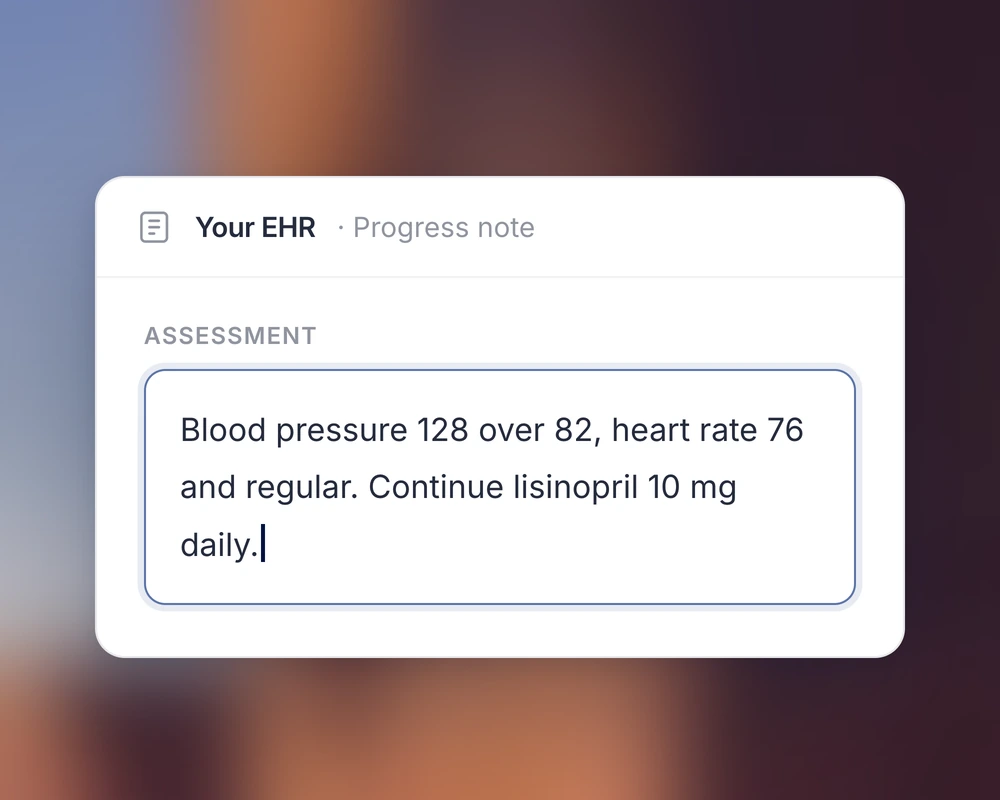
ClinicFrame adds one more manual route. Dictate Anywhere, in the desktop app for Mac and Windows, inserts what you say into the Healthie field you clicked. It suits the short fields a template leaves, like a goal update or a follow-up plan, where a full note would be too much.
A BAA covers the company that signs it. If you add an outside scribe, you have two agreements, one with Healthie and one with the scribe. Read both before the first real client.
The best options for Healthie users
The order starts with how little work the note needs once the visit ends. Between tools that hand off the same way, price and what else the account does decide the place.
1. AI Scribe by Healthie, best for practices already on a Healthie Plus plan or above
Healthie released its own AI Scribe in October 2025 at FNCE, the largest nutrition conference in the US. It launched for telehealth and now also covers in-person and phone visits. Healthie's help center lists it as an add-on for Plus plans and above, at $35 a month.
That $35 buys 40 hours of scribing a month, shared by every provider on the account. Unused hours roll over for one more month. Past that, Healthie charges $0.85 an hour, rounded up to the next whole hour, on the following invoice. Plus and Group owners can try it free for 7 days.
Capture works three ways. For telehealth it runs on Healthie's Zoom integration, toggled from the session toolbar. In person it listens through your device's microphone. For phone visits you put the phone on speaker next to the computer. The draft follows the chart note template assigned to that appointment type and usually arrives in one to two minutes.
- Pick it if you run every visit through Healthie and your appointment types already have chart note templates.
- Some template field types are not filled, such as diagnosis lists, and transcripts are saved as a supporting record in Healthie.
2. HealOS, best for practices that want a browser extension working inside Healthie
HealOS sells an AI scribe along with tools for faxes, referrals, benefits checks, and prior authorizations. Its Healthie page says the scribe generates notes directly inside Healthie, and its connection is a lightweight Chrome extension that works alongside the EHR. Staff confirm each prepared action with a click.
The page does not list which Healthie fields the extension fills. Its pricing page shows Core at $49 a month with the Chrome extension, and Plus at $99 a month with appointment sync and direct note transfer to select EHRs. The Healthie page itself offers 20 free sessions a month with no credit card. HealOS says it signs a BAA with every customer.
- Pick it if you want admin help beyond the note, like fax routing to the right Healthie chart.
- Ask which Healthie fields the extension fills and whether Healthie is on the Plus plan's direct transfer list.
3. ClinicFrame, best for practices that want the note, letters, and file questions in one account
ClinicFrame has no direct integration with Healthie. The note reaches the chart by hand, and we say so up front. You copy the whole note or one section at a time into the Healthie chart note, or export a PDF to upload as a document. Dictate Anywhere, in the ClinicFrame desktop app for Mac and Windows, inserts dictated text into whatever Healthie field you clicked.
For a telehealth visit in the browser, ClinicFrame captures the call tab you share in Chrome or Edge. The desktop app captures system audio on Mac and Windows, and no bot joins the call. The audio is discarded once the note is written.
Where ClinicFrame earns a place on a Healthie list is everything after the note. The AI Assistant answers questions over a client's files with the source page, drafts the letter to a referring physician, and writes the treatment plan. The Free plan includes 15 visits a week, 20 assistant questions a week, and a signed BAA, with no credit card.
If you want to see the AI scribe on your own visits first, start on Free. The note templates page shows how a custom format, such as ADIME, is set up once and reused.
- Pick it if you are on a Healthie plan without AI Charting, or you want one tool for notes, letters, and file questions.
- Nothing lands in Healthie on its own. Time the copy step on ten visits before you decide.
4. Twofold, best for dietitians who want nutrition-specific note formats
Twofold has a page aimed at Healthie users, written for nutrition documentation. Its FAQ is direct about the handoff. You generate the note in Twofold and copy and paste it into the client chart in Healthie. There is no integration described on the page.
The formats are the reason to look at it. Twofold writes SOAP notes and ADIME notes, the Assessment, Diagnosis, Intervention, Monitoring and Evaluation format dietitians use, plus meal plan and counseling summaries. Every account gets a signed BAA, and Twofold says it does not store patient recordings.
- Pick it if most of your visits are nutrition counseling and you want ADIME out of the box.
- The Healthie page lists the first month only. Ask for the monthly price after it before you move a team.
What each option costs a real practice
Healthie prices its scribe by hours, and the others price by seat. The two models favor different practices. Here is the math for two practices we see often, at 4.33 weeks a month. Healthie's numbers do not include the Healthie plan itself, which has to be Plus or above.
| Practice | AI Scribe by Healthie | HealOS | ClinicFrame | Twofold |
|---|---|---|---|---|
| One dietitian, 20 visits a week of 30 minutes (about 44 hours a month) | $38.40 ($35 plus 4 extra hours) | $49 on Core | $34.99 on Basic, or $27.99 per user per month on an annual plan. Free covers up to 15 visits a week | $19 the first month, then ask |
| Three therapists, 25 visits a week each of 50 minutes (about 271 hours a month) | $231.35 ($35 plus 231 extra hours) | $49 on Core, confirm whether per provider | $104.97 on Basic, or $83.97 billed annually | $19 the first month, then ask |
A small, part-time practice on Healthie Plus pays very little for the built-in scribe. A busy group spends most of its bill on overage hours, and a per-seat tool starts to cost less. Run your own hours through the same math before you switch.
What to test before you switch
Switching scribes inside Healthie is cheap to try and expensive to undo once a team has habits. Spend one week on a test chart before you move anyone.
- List your three most common appointment types and their chart note templates.
- Create a test client in Healthie. Never run a trial on a real chart.
- Read the same synthetic visit into each scribe, using the script below.
- Time each one from the end of the visit to a note you would sign, including the paste or the approval.
- Check the fields one by one. Note which ones stayed empty and which got the wrong content.
- Check the numbers. Weights, lab values, and supplement doses are where drafts go wrong.
- Ask each vendor whether audio is stored, for how long, and whether transcripts stay in the chart.
- Get each BAA signed before the first real client, and add a consent line to your intake.
- Count your monthly hours or visits and price each option at that volume, overage included.
Fix the template before you blame the scribe
Most bad drafts in a test week trace back to the template, not the tool. Healthie's scribe fills the fields your chart note template defines, and it skips some field types, such as a diagnosis list. An outside scribe writes to its own template, and you paste into yours. In both cases a field that exists in Healthie but not in the scribe's format comes back empty.
Line the two up before day one. Print your Healthie template, then mark which field each section of the scribe's note should fill. A dietitian's ADIME note needs Assessment, Diagnosis, Intervention, and Monitoring and Evaluation in that order. A therapist's DAP note needs Data, Assessment, and Plan. If the names differ, rename one side so the paste is one section to one field, every visit.
A synthetic visit to read into every tool
- "Follow-up for a 42-year-old client working on type 2 diabetes nutrition goals. Illustrative case, not a real patient."
- "Weight today is 214 pounds, down 3 pounds in four weeks. Last A1c was 7.4 percent in September."
- "She logs breakfast most days now and skips the afternoon soda four days out of seven."
- "She denies dizziness or low blood sugar episodes. Takes metformin 500 mg twice daily, no change."
- "We agreed to add a protein source at lunch and keep the soda goal. Recheck weight in four weeks and send a summary to her primary care physician."
The last line is the one to watch. A scribe that writes the note but not the summary letter leaves you a second job. For consent wording you can adapt, read our guide to patient consent for AI scribes. Therapy practices can compare tools beyond the note in our list of the best AI tools for therapists. For the wider market outside Healthie, see the full ranking of AI medical scribe software, and check current plans on the ClinicFrame pricing page.
Sources
Vendor pages read on November 24, 2026. Healthie updates its help center often, so confirm plans and rates with each vendor before you buy.
- AI Scribe by Healthie, Healthie Help Center, AI Charting by Healthie
- AI Scribe by Healthie, Healthie Help Center, AI Scribe by Healthie
- AI Scribe by Healthie, Healthie press release, AI Scribe at FNCE 2025
- HealOS, HealOS, Healthie integration
- HealOS, HealOS pricing
- Twofold, Twofold, AI scribe for Healthie